HTTP GET and POST Request Handling in ExpressJs
In this post i am going to explain you two very important http request GET and POST, This tutorial will help yo to understand GET and POST HTTP request in expressjs
We can handle GET request by using app.get() function and POST request by using app.post() function in expressjs where app is the object of express module, Also for receiving form data by post method, We need to include one additional module called body-parser in our project.
So lets start tutorial step by step.
Here this example will so you GET and POST request by sending email in nodejs.
Node Emailer
Node Emailer is program to send email in nodejs here i have created a simple html form which will load when HTTP GET Request Make and send form details to server by HTTP POST request using jquery and POST data handled by express.
Create package.json file.
package.json
{
  "name": "NodeJs-Emailer",
  "version": "0.0.1",
  "description": "NodeJs email form to send email using nodejs",
  "dependencies": {
    "nodemailer": "~0.7.1",
    "express": "~3.4.0",
    "body-parser": "~1.13.1"
  }
}
Create html email form which will load while get request make.
index.html
Send email in nodejs
Email Form In Node.Js
In Above code i have serialize form data using jquery and sent details to server by HTTP POST request.
Now finally create your app.js file which will handle your all GET and POST request.
app.js
/*
* Author: Rohit Kumar
* Date: 24-06-2015
* Website: iamrohit.in
* App Name: Node Emailer
* Description: NodeJs script to send emails
*/
var http=require('http');
var express=require('express');
var nodemailer = require("nodemailer");
var bodyParser = require('body-parser')
var app=express();
var port = Number(process.env.PORT || 5000);
app.use(bodyParser.json()); // to support JSON-encoded bodies
app.use(bodyParser.urlencoded({
  extended: true
}));

// Home page, HTTP GET request
app.get('/',function(req,res){
    res.sendfile('index.html');
});

// sending mail function, HTTP POST Request
app.post('/send', function(req, res){
if(req.body.email == "" || req.body.subject == "") {
  res.send("Error: Email & Subject should not blank");
  return false;
}
// Sending Email Without SMTP
nodemailer.mail({
    from: "Node Emailer ✔ ", // sender address
    to: req.body.email, // list of receivers
    subject: req.body.subject+" ✔", // Subject line
    //text: "Hello world ✔", // plaintext body
    html: ""+req.body.description+"" // html body
});
res.send("Email has been sent successfully");

   // Sending Emails with SMTP, Configuring SMTP settings

    /*var smtpTransport = nodemailer.createTransport("SMTP",{
             host: "smtp.gmail.com", // hostname
    secureConnection: true, // use SSL
    port: 465, // port for secure SMTP
            auth: {
                 user: "[email protected]",
                 pass: "['YourHotmailPassword']"
            }
        });
        var mailOptions = {
            from: "Node Emailer ✔ ", // sender address
            to: req.body.email, // list of receivers
            subject: req.body.subject+" ✔", // Subject line
            //text: "Hello world ✔", // plaintext body
            html: ""+req.body.description+"" // html body
        }
        smtpTransport.sendMail(mailOptions, function(error, response){
        if(error){
             res.send("Email could not sent due to error: "+error);
        }else{
             res.send("Email has been sent successfully");
        }
    }); */
});

// Starting server
var server = http.createServer(app).listen(port, function() {
console.log("Listening on " + port);
});
In above code you can see both example of HTTP request.
Now run your application
$ node app.js
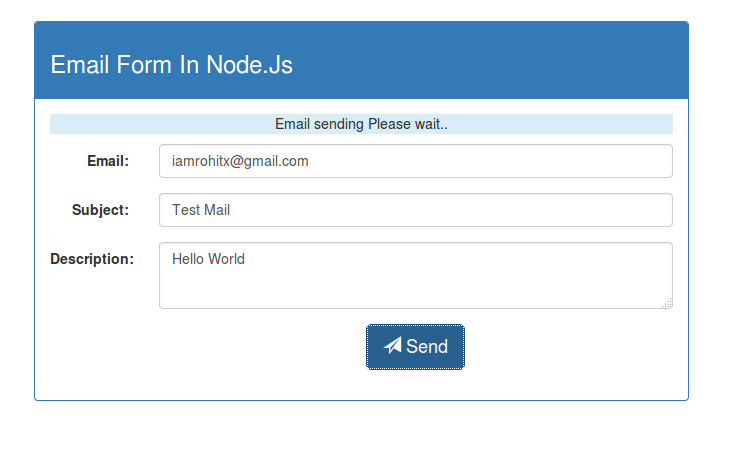
You can see the working demo by clicking on demo button and download source code.
Hope this tutorial will help you to understand HTTP GET and POST request in expressjs
