Native javascript plugin for a cool typewriter effect – TypewriterJS
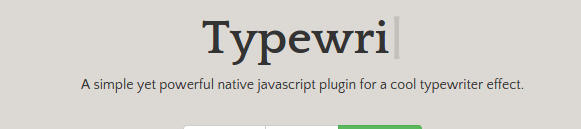
A simple yet powerful native javascript plugin for a cool typewriter effect. TypewriterJS is a native javascript plugin that can be used to create an elegant automatic typewriter animation effect on websites.
Libraries
Load the main JS file typewriter.js right before the closing body tag.
HTML
Create a placeholder element:
JS
Initialize the plugin on the element and specify an array of strings to type out
var example = document.getElementById('example');
var typewriter = new Typewriter(example, {
    strings: ['Strings', 'To', 'Type']
});
Here list of options you can use to customize the plugin.
var typewriter = new Typewriter(example, {
    strings: ['Strings', 'To', 'Type'],
    cursor: '|',
    delay: 'natural', // 'natural' or Number
    loop: false, // infinite loop
    autoStart: false,
    devMode: false,
    wrapperClassName: 'Typewriter__wrapper',
    cursorClassName: 'Typewriter__cursor',
});
| Name | Type | Default value | Description |
|---|---|---|---|
| strings | String or Array | null | Strings to type out when using autoStart option |
| cursor | String | Pipe character | String value to use as the cursor. |
| delay | ‘natural’ or Number | ‘natural’ | The delay between each key when typing. |
| loop | Boolean | false | Wether to keep looping or not. |
| autoStart | Boolean | false | Wether to autostart typing strings or not. You are required to provide strings option. |
| devMode | Boolean | false | Wether or not to display console logs. |
| wrapperClassName | String | ‘Typewriter__wrapper’ | Class name for the wrapper element. |
| cursorClassName | String | ‘Typewriter__cursor’ | Class name for the cursor element. |
All methods can be chained together.
typewriter.start()

typewriter.stop()

typewriter.pauseFor(ms)

typewriter.typeString(string)

typewriter.deleteAll()

typewriter.deleteChars(number)

typewriter.callFunction(cb);

typewriter.changeDeleteSpeed(speed);

typewriter.changeDelay(delay);
| Name | Params | Description |
|---|---|---|
| start | – | Start the typewriter effect. |
| stop | – | Stop the typewriter effect. |
| pauseFor | ms Time to pause for in milliseconds |
Pause for milliseconds |
| typeString | string String to type out, it can contain HTML tags |
Type out a string using the typewriter effect. |
| deleteAll | speed Speed to delete all visibles nodes, can be number or ‘natural’ |
Delete everything that is visible inside of the typewriter wrapper element. |
| deleteChars | amount Number of characters |
Delete and amount of characters, starting at the end of the visible string. |
| callFunction | cb Callback, thisArg this Object to bind to the callback function |
Call a callback function. The first parameter to the callback elements which contains all DOM nodes used in the typewriter effect. |
| changeDeleteSpeed | speed Number or ‘natural’ |
The speed at which to delete the characters, lower number is faster. |
| changeDelay | delay Number or ‘natural’ |
Change the delay when typing out each character |
See live demo and download source code.
DEMO | DOWNLOAD
This awesome plugin is developed by tameemsafi. Visit their official github repository for more information and follow for future updates.
