Quick Bootstrap Form Validation With jQuery validator.js plugin
In my new post I going to share lightweight jquery plugin to add Quick client side Validation on your bootstrap form. Validator.js is a cool lightweight jQuery validation plugin for Bootstrap that shows error messages for invalid form fields before submitting and helps to prevent submission of wrong inputs data. You can easily customize error messages with your own custom messages.
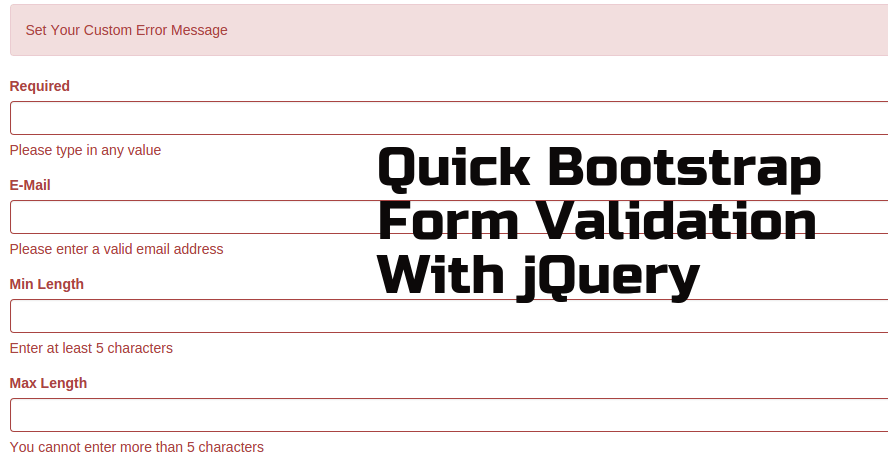
Integrate Bootstrap Form Validation Plugin
Follow below steps to add validation on your bootstrap form.
Libraries
Add bootstrap library after that add validator.js on page.
HTML
For demo purpose created sample HTML form with almost all the input types.
JS
Finally Initialize the plugin and apply the validation rules to the form fields, You can also put your own custom messages.
See live demo and download source code.
DEMO | DOWNLOAD
Validation Rules
| Pattern | Explanation |
|---|---|
| required | any word characters |
| any valid e-mail address | |
| date | valid date formats: YYYY-MM-DD or MM.DD.YYYY or MM DD YYYY IMPORTANT: only checks if the format is valid |
| minLength:X | value must be at least X characters long |
| maxLength:X | value cannot be longer than X characters |
| regex:X | regex check for value |
| checked | check if checkbox / radio is checked |
See official github repository for more information and follow for future updates. Don’t forget to read license for using above plugin in your commercial project.
